Showing posts with label Electrical. Show all posts

Sunday, November 2, 2014

New Distribution Panels

Another project that I did last winter in my shed.

Part of the re-wiring project involved all new distribution panels for the navigation station. As I had mentioned earlier, the original panels were really showing their age. Not enough breakers for what I envisioned and even with the minimal items that we had there were several case of one breaker being used to service two or more loads. Not ideal.

The wiring was pulled and labeled and ready for the new panels. I chose Blue Sea Systems panels, specifically what they now refer to as their “Traditional Metal Panels.” When I bought them, the new “360” Panels were just being produced and were roughly twice the price. Sexier and a bit smaller but the traditional was fine by me.

The original factory distribution layout was composed of one 120V AC panel with AC Main and 3 positions. Functionally this panel was fine because it was only being used for the hot water heater and the cabin 120V AC outlets. The new panel will be have a Main and 6 positions but the bottom 3 will be for future use. Future use meaning if the new owners of the boat want to add a microwave or hot-tub...

On the DC side of the equation, the original setup had two panels of 6 positions each. Not quite enough and I had used single breakers to power dual devices in a few cases. I needed a few more positions so I opted for 3 panels of 6 positions each. Based on original plans for devices almost all of the breakers will be used.

Old “Temporary” panel:
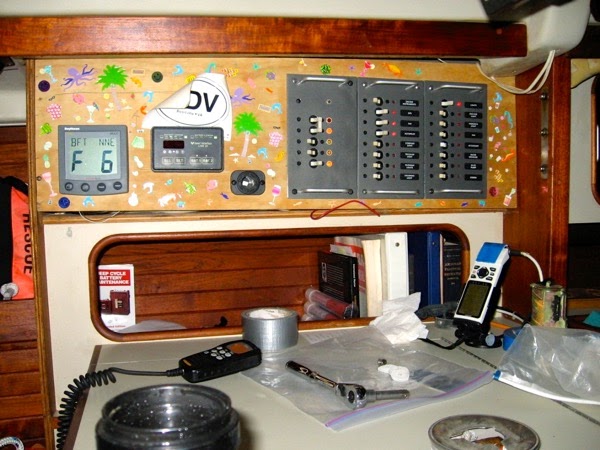
IMG 0876

Newer mockup distribution panel:

Photo 1

With a basic setup in mind I purchased some cheap 1/2” plywood from Lowes and ordered some, well, actually a half-sheet of Wilsonart kitchen countertop laminate in a interesting dark color and pattern.

With the mockup fitted to the space I cut the plywood and traced the cutout template. Using a hole saw and my trusty Bosch jigsaw I did the cutouts. With that done I spread on the contact cement and rolled on the laminate. After a day of letting the contact cement set up, I routed out the openings in the laminate.

IMG 3711

The panels were arranged and screwed into place along with base for the Link 20 and the Raymarine ST60 Multi repeater. Just to the right of the Multi readout I cut two holes for a basic 12V DC cigarette outlet and a dual USB outlet, both from Blue Sea Systems.

Panel under construction:
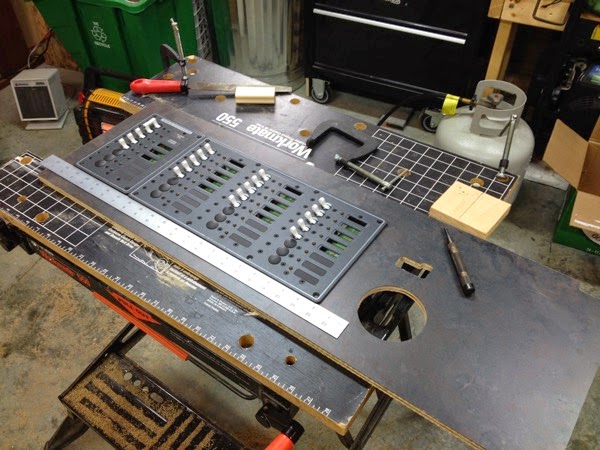
IMG 3727

IMG 3729

For this iteration I did not use the piano hinge that was on the temporary mockup because I’m not sure that this panel I was working will actually go into the boat. In all likelyhood on the final panel I will use a marine plywood and add the piano hinge on the bottom. The original panel installed by C&C required that each distribution panel be unscrewed and pulled out in order to get at the wiring. This was inconvenient and frustrating.

Semi-final distribution panel (with original hacked up melamine panel in front):

IMG 3831

First cut at assigning devices to breakers:

12VDC Layout Screenshot

Monday, March 24, 2014

Nighttime Cabin Lighting

Having spent a bit of time sailing at night I have always enjoyed having low level red lighting down below. The off-watch isn’t generally bothered by it and it provides enough illumination so that going below to check on navigation while standing watch or to get some coffee, switching on a light is avoided. A friend of mine had red, or courtesy lighting as some call it, throughout his Oyster 48 which I came to really appreciate on deliveries and a race to Bermuda and the trip back.

So, I figured since I was up to my elbows in re-wiring I’d go ahead and add a courtesy/red light circuit to Ronin. Although I have upgraded the distribution panel to handle future circuits I knew that I didn’t want to put the breaker and switch on the panel at the navigation station. I knew that the other thing that I would want was the ability to turn the lights on at the entry to the cabin.

I purchased 5 Hella Flush Mount LED lamps for around $180.00. Essentially these lamps: 

2310 Large

I calculated the total length of the circuits and ordered enough of more than adequate 18 AWG wiring for the job. I already had enough connectors and heat-shrink tubing for the job as I buy them in bulk. Along with the wiring order I purchased a Blue Sea Systems Contura rocker switch.

I designated one of the four 24-hour circuit breaker positions in the new battery management panel as the power source for the LED circuit. From there I ran a length of wiring up to the behind the distribution panels to a bus bar in order to split the circuits out to either side of the boat.

Even though I ordered five lights with the intention of putting two in the main cabin, opposite each other in the base of the port and starboard settee, after doing some quick lighting checks with them and a 12VDC battery at night I decided that one light was all that was needed. Red light overkill.

First light at base of companionway steps.

IMG 4225 JPG

Next light at the base of the starboard settee:

IMG 4234 JPG

IMG 4237 JPG

The third red light in the very important head basin:

IMG 3963

The final light installed in the forward cabin under the v-berth:

IMG 3961

After running the wiring and getting most of the connections made I turned to start working on the companionway switch placement. The perfect location was in the side of the "little teak storage thingy” that used to cover the old instruments and now houses the autopilot CPU. It’s located to port and up high in the cabin at the companionway entrance. Perfect location to able to open the hatches, push the hatch cover back and flip the switch on so that there is lighting below even though the master switch hasn’t been switched on yet.

Prepping for the switch:

IMG 4525

And here is the storage box installed with the courtesy light switch being dry-fit:

IMG 4532

Anyway, since the boat hasn’t moved in 5 years, the lighting circuit hasn’t been put to use yet. Like all the other upgrades on the list. Someday...

Sunday, February 23, 2014

Battery Management

As part of the re-wiring job I budgeted for all new battery management controls to replace the original Off-1-2-Both Master Switch. Since I was well on my way to being Blue Sea Systems customer of the year, dryly noted by Clark Beek of “The Adventures of Vessel Condesa” blog when I sent him some photos of the electrical work I was doing on Ronin, I opted for the new, “foolproof” Dual Bank Battery Management Panel. At the same time, I used the recommended Automatic Charging Relay (ACR) so the both banks would charge while underway.

The ACR senses when the system is charging and automatically charges both banks. When sailing and the the motor is off, the system isolates the banks and ensures that the starting battery is not being used.

The attraction of this system was the fact that I could just switch the position indicator to On and not worry about whether one bank was being charged at the expense of the other or worse, that while sailing all day drawing current with the battery switch set to Both that when it came time to start the engine I didn’t wind up with all the batteries drawn down. Another position on the new panel allowed that in an emergency both banks could be combined manually.

This wiring job was also part of the starting battery locker job that I talked about in previous posts.

I removed the original battery switch, a cheap push-pull bilge pump switch that a PO may have installed and the light-switch style Master switch which I never felt comfortable with. Too easy to knock it into the Off position coming down the steps.

IMG 3790 JPG

 As mentioned early, the original wiring was in pretty sad shape after fixes by both me and previous owners. 

IMG 3620

IMG 3621 JPG

I grabbed the templates supplied by the manufacturer, taped them up and once satisfied I pulled out the Wonder Tool, the Fein Multimaster and got to work cutting the openings. 

IMG 3795 JPG

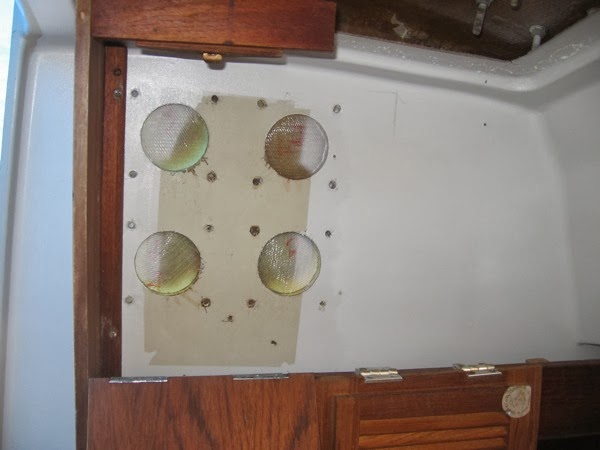
The new panels positioned nicely over the old locations with the exception of the hole drilled for the bilge pump switch. I’ll search around for a nice decorative plug for that at some point.

Dry fitting the panels:

IMG 3813 JPGThe old master switch slot is now expanded and used for the ACR switch. New models have down away with the manual switch.

The new battery management panel contains the boat master switch and two continuously one breakers for bilge pumps and two empty slots for other duties as needed. Nicely thought out.

Once mounted I started in on the wiring.

IMG 4468 JPG

IMG 4497

In the photos above the new battery cables haven’t even been run yet. The photo below shows the interior at a later time as more wiring and battery cable pulling was being accomplished.

I’ve hooked the system up to the batteries for a quick test and it all seems good. So far...

IMG 4535

Friday, February 14, 2014

Starting Battery Locker Redesign

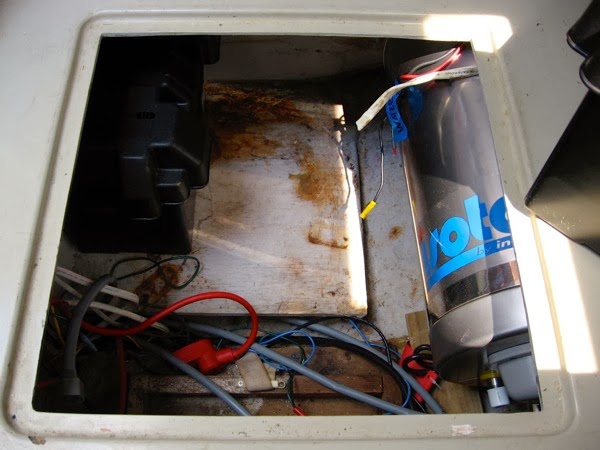
In the C&C 37’s interior there is a storage compartment on the port side underneath the head of the quarter berth. This area is also used as the seating for the navigation station. Underneath that seat and in the storage locker was the original Raritan hot water heater, long since rusted out and in a landfill, the starter battery in a black plastic battery box in front of the hot water heater and all the main battery cabling and wiring to the distribution panels. It was, not surprisingly after 30 plus years, a mess. Time for a redo!

The space missing a battery, hot water heater and fresh water pump:

IMG 3620

I had plans for the space above and beyond cleaning it. Right off, the Isotemp Basic Slim 5 gallon 115 volt and engine heat exchange tank I had purchased for replacement of the shore powered only Raritan needed to fit. I had vague thoughts of doubling up the battery capacity in that area too. The fresh water pressure pump and accumulator tank had been and still needed to be nearby. And finally, I wanted to run all the upgraded cables and wiring through that area and install the new battery management pieces.

I did some simple fitting of the hot water heater so that it was as far outboard in the locker as possible. This was a good fit which then allowed me to use the spot where the former hot water shelf was for battery storage. I never like the way that the starter battery was right in the way when accessing this space. Pushing it aft freed up a fair amount of space for other things.

First dry fit:

IMG 3624 JPG

As I mentioned earlier, I had notions of doubling the battery capacity in this are, going from one to two batteries. I’m not sure that using the primary starting bank as a second house bank was a prudent move. Nonetheless, test fitting showed that two group 21 or 31 batteries with battery cases would fit quite nicely.

Second test fit:

IMG 3662

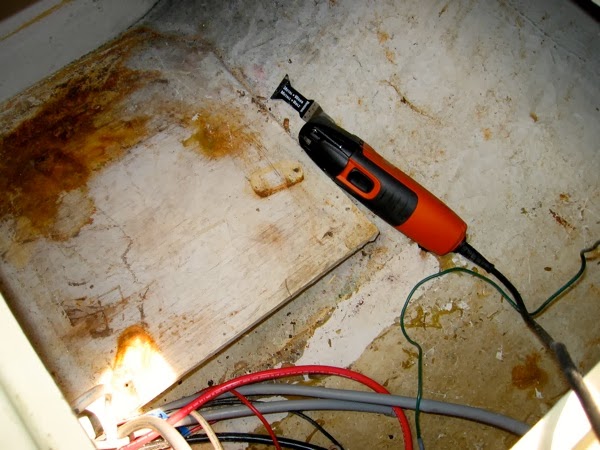
With proof of concept validated I grabbed my favorite tool, the Fein Multimaster, aka the “Wonder Tool” and made short work of the battery box shelf. It looked like C&C forgot to put one in and at the last moment as the truck was getting ready to haul the boat off to the dealer they rummaged around in the waste bin out back for some wood and glued one up quickly.

Old starting battery support:

IMG 3652 JPG

While I was in there I cut out the original hot water heater shelf. With the storage locker empty I ground out all the old fillet bonds and sanded the entire area. Repainted the entire area with white Interlux Bilgekote.

IMG 3757 JPG

I used non-marine plywood and pine boards to work up a new shelf. The new shelf was a bit larger and wider. After a couple of dry fits to ensure that grinding for the angle of the hull was accounted for I painted it with more of the Bilgekote. After it was dry I expoxied the supports into the hull and screwed the new shelf into place.

IMG 3909 JPG

The end result with the cleaned up locker space, a secured battery box and the space for the hot water heater worked out well and looked nice.

IMG 4035 JPG

I always enjoy upgrade projects and maybe making things a bit better.

Wednesday, February 12, 2014

Where to put the autopilot CPU?

Prior to painting the interior I knew that I needed to mount the autopilot CPU somewhere safe and dry. I didn’t want it somewhere out near the drive motor in the cockpit locker area because of potential water issues and just plain lack of space and easy access. I didn’t want to put it forward and have miles of lines snaking throughout the boat.

The one thing that the boat came with was a nifty little teak storage thingy. Actually, all it did was hide the cutouts and wiring to the back of the dead B&G instruments and provide a shelf for a handheld VHF or two. Although the instruments were still in place to keep the water out, they had long ago been replaced by ST60’s at the helm and the navigation station.

IMG 4282

IMG 3522 JPG

IMG 4489

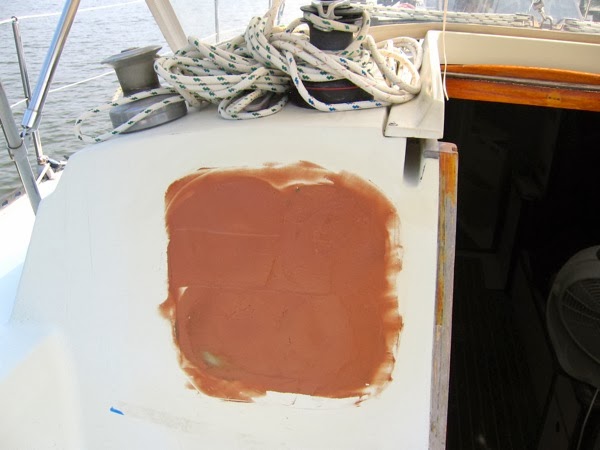
I decided to use that area behind the box for the CPU. I yanked the old instruments out and glassed in coverings in the bulkhead in preparation for eventually painting the decks.

IMG 3908 JPGIMG 3913 JPG

The next step was to take some 1/4” FRP stock that I had lying around for a backing plate for the unit. This was primarily to cover the cutouts in the cabin liner from the old instruments. After doing a dry-fit to make sure that the whole thing would work I sanded and faired the backing plate for eventual painting.

IMG 4533

The next item was to pull power and data cabling. Not pretty because of liner issues and certainly a circuitous route but it worked out okay. The factory had done it so I guess it was good enough for me. One thing I did do was clean up a lot of the nasty cut-outs that they had made on the cheap and quick.

IMG 4550

The final wiring and mounting went pretty quickly. I’m still a little leery of it’s location vis-a-vis water intrusion but it is done and given the conditions that I anticipate I think the the CPU stands a pretty good chance of survival. And it allows me to continue use that teak thingy for storage...

IMG 4554IMG 4552

More on that funky waterproof switch in the photo above in a later post.

Monday, February 10, 2014

Autopilots - From the wheel to below deck

While motoring Ronin from our house to the marina for annual maintenance in the Spring of 2007, around 3 nm into a trip of 30 nm I noticed that the original Raymarine ST4000+ wheel autopilot that had provided yeoman service for 9 nine years had quit. It wasn’t the first time and it had been repaired once before. I’ve had a lot of experience hand-steering boats off-shore and coastal cruising so it wasn’t anything more than an irritant in this instance. No wind so it was just a matter of getting comfortable and keeping one foot on the wheel. I was fine without it that day.

I really, really like autopilots. I always tell folks new to sailing that one of the first things they should get for their boat is an autopilot. Makes single-handing easy, keeps the wife happy and it doesn’t yell back or drink your beer. Although the wheel mounted autopilot was fine for the Chesapeake Bay, I knew that an under-deck unit was called for given the loading parameters for our boat and there was a fairly high probability that Ronin would be going off-shore in the future. In this case, bigger was better.

We sprung for a new Raymarine ST5000+ system with a S1G Corepack and Type 1 Linear drive. At the same time we purchased an Edson machined tiller arm.

On Ronin, the only access to the steering quadrant and anything under the cockpit is down through the starboard locker and squeezing aft. And I mean squeezing in the full sense of the word. It’s fortunate that I am still relatively thin for someone my age. And reasonably limber (thanks yoga…) because if not, I would have to hire youngsters to crawl aft to work on things.

Because the mounting position that made the most sense for access and effort the new linear motor and drive arm would block what little crawl space I had to find a work-around. After thinking about it for some time I decided that rather than do a standard installation using a base mount glassed to the hull I would create the same thing except that I would make the unit’s base a bolt-on affair. This would leave the most vertical access possible.

After doing extensive measuring and re-measuring to ensure that the motor was mounted according to the specifications I purchased flat sheet and angle FRP stock from McMaster-Carr and got started fabricating the whole structure.

Measuring tool to ensure that the correct angle was not exceeded when mounting the unit.

IMG 1882 JPG

Start of the drive motor mounting platform.

IMG 1878 JPG

Starting to fit the pieces together. Despite extensive measuring I still got it off. Frustrating.

IMG 1911 JPG

More checking to make sure that the mount was in (mostly) the right place.

IMG 1914 JPG

The final installation with paint, bolts and wired up.

IMG 3576 JPG

Although it works, it bothers me that it isn’t quite right. I have plans to cut the low, hull mounted frames out and do them over again. But that has to wait until other projects are completed. I have tested removing the drive and mount and I can still fit and get aft.

Sunday, February 9, 2014

Before the halt - Electrical

Before I pretty much downed tools and walked away from the refit of Ronin, I had made good progress on the what amounted to a complete re-wiring of the boat. I decided to go ahead and spend the time and money because the twenty-five year-old wiring was becoming problematic. I was having problems with starting the engine. The original distribution panels were insufficient for our planned upgrades. The original wiring was corroding and in some cases, the connections to the breakers were either barely hanging on or were doubled up so that one breaker was responsible for several circuits. The overall mess behind the distribution panels was a problem if any emergency repairs were required.

Around 2000 I decided to pull the original distribution panels, paint them, replace any suspect breakers and generally just clean up the factory wiring as much as possible. It wasn’t pretty. I did the best I could without spending much money, basically sorting out and identifying all the circuits. That in and of itself was a fairly large job. I was able to come up with a wiring identification sheet so that I knew what was what behind the walls.

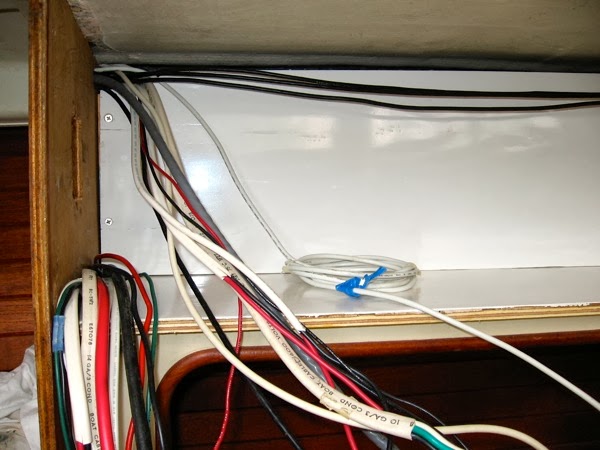
After replacing all the original connectors, I used the existing wiring and bus bars which I placed on up a simple wiring backing board to help organize things. Any orphan wires, and there were a few, were labeled and wrapped up for future investigation.

IMG 3506 JPG

After completing that task, I roughed out a panel to replace the original one and screwed it into place at the navigation station. Not pretty but it did have some unique art features. And it functioned well. We kept it for a long time.

IMG 0876

As I was doing this I was keeping in mind that I would need to do a complete refit of the electrical system. I took notes of all the wiring in the boat and put together a wiring diagram of the existing system.

In 2009, when I started in on the design and work to upgrade the electrical system I was able to put together a proposed wiring diagram for our upgrades based on the original wiring diagram. The preparation was well worth the effort.


IMG 4342 JPG

IMG 4343 JPG

After getting an idea of where I wanted to go, I started ordering. Distribution panels from Blue Sea Systems. Battery management panels too. Bulk wiring, cabling, connectors, bus bars, terminal blocks and switches. Any and all the tools that I didn’t already have.

Over the next summer I cut, pulled out, snaked in, added new and removed old, circuits that would replace the existing ones and used for new purposes. Although I already knew, it was still a big, time-consuming and expensive project. But I think that the results will be a big plus.

New distribution panel test.

IMG 3536 JPG

New electrical wiring shelf and backing panel.

IMG 3785 JPG


Some of the supplies. With an IPA...

IMG 4312 JPG

IMG 4314 JPG

More posts of previous work coming...